The Best VPNs for Reducing Ping and Latency in Online Games
Reduce ping and latency in online games with these recommended VPNs. Improve your gaming performance and competitive edge.

Reduce ping and latency in online games with these recommended VPNs. Improve your gaming performance and competitive edge.
The Best VPNs for Reducing Ping and Latency in Online Games
Hey fellow gamers! Ever been in the middle of an intense online match, only to be thwarted by frustrating lag and high ping? It's a nightmare, right? Whether you're battling it out in Valorant, exploring vast worlds in World of Warcraft, or trying to get that perfect headshot in Call of Duty, high ping can be the difference between victory and defeat. While a VPN might seem counterintuitive for speed, a good gaming VPN can actually help reduce ping and latency, giving you a smoother, more competitive edge. Let's dive into how this works and which VPNs are your best bet.
Understanding Ping and Latency in Online Gaming
Before we jump into VPN recommendations, let's quickly break down what ping and latency mean for your gaming experience. Essentially, 'ping' is the measurement of the time it takes for a data packet to travel from your computer to a server and back again. This round-trip time is measured in milliseconds (ms). 'Latency' is a broader term that refers to any delay in data transmission. In gaming, high ping (and thus high latency) means there's a noticeable delay between your actions and what happens in the game, leading to frustrating 'lag'.
Why High Ping Happens and How a VPN Can Help Your Gaming Connection
Several factors can contribute to high ping. Sometimes it's your internet service provider (ISP) throttling your connection, especially during peak hours. Other times, it's simply the geographical distance between you and the game server. Your data might be taking a less-than-optimal route, bouncing through multiple intermediate servers before reaching its destination. This is where a VPN can come in handy.
A VPN works by encrypting your internet traffic and routing it through a server operated by the VPN provider. While encryption can sometimes add a tiny bit of overhead, a high-quality VPN with strategically placed, optimized servers can actually shorten the data's path to the game server. Instead of your data taking a convoluted route dictated by your ISP, the VPN can provide a more direct, optimized path. This can bypass congested networks and even ISP throttling, potentially leading to lower ping and a more stable connection.
Key Features of a Great Gaming VPN for Low Ping
Not all VPNs are created equal when it comes to gaming. Here's what you should look for:
- Extensive Server Network: More servers in more locations mean a higher chance of finding a server close to your game server, which is crucial for low ping.
- High-Speed Protocols: Look for VPNs that support modern, fast protocols like WireGuard or OpenVPN UDP. These are generally faster than older protocols.
- Optimized Servers: Some VPNs specifically optimize certain servers for gaming or streaming, which can offer better performance.
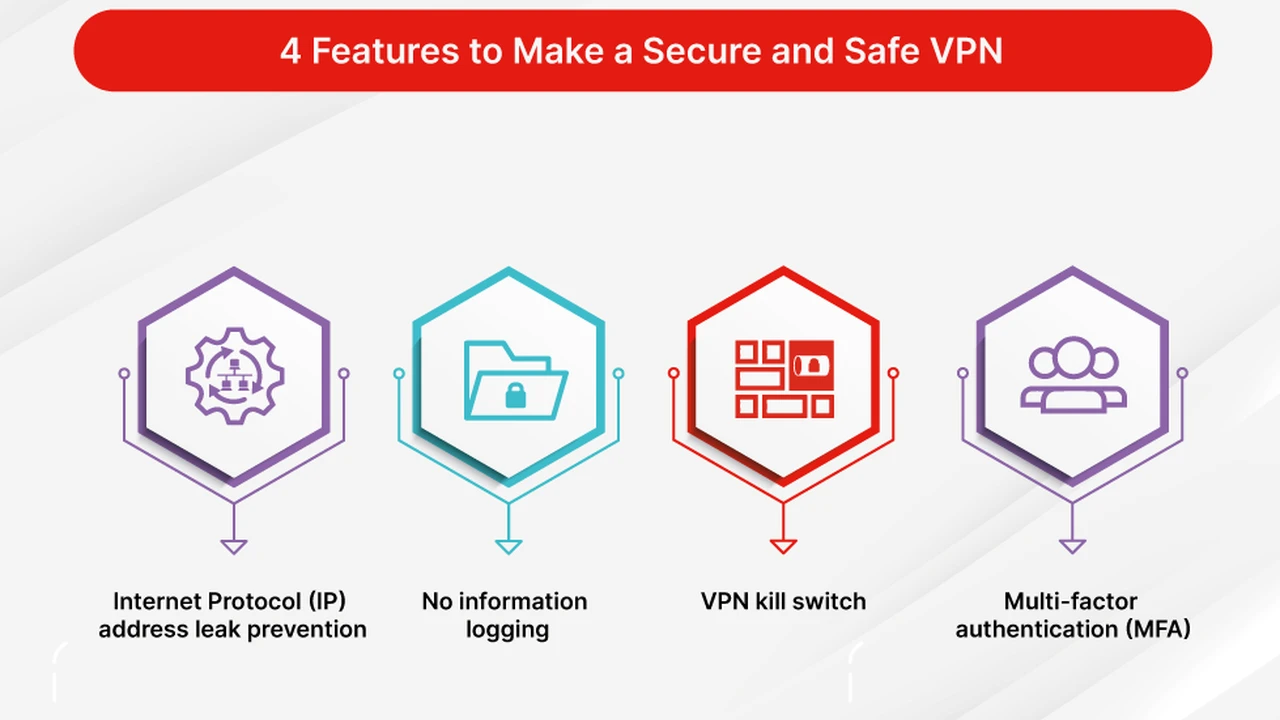
- No-Log Policy: While not directly related to speed, a strict no-log policy ensures your online activities remain private, which is always a good thing.
- Unlimited Bandwidth: You don't want your VPN to cap your data or throttle your speed, especially during intense gaming sessions.
- DDoS Protection: Some gaming VPNs offer built-in DDoS protection, which can be a lifesaver if you're a competitive gamer.
- Split Tunneling: This feature allows you to route only your game traffic through the VPN while other applications use your regular internet connection, potentially optimizing performance.
Top VPN Recommendations for Reducing Ping and Latency
Alright, let's get to the good stuff! Based on extensive testing and user feedback, here are some of the best VPNs that can help you achieve lower ping and a smoother gaming experience.
1. ExpressVPN The Speed Demon for Gamers
Why it's great for gaming: ExpressVPN consistently ranks as one of the fastest VPNs on the market, making it an excellent choice for gamers. Its vast network of 3,000+ servers in 105 countries means you're likely to find a server close to your game's server, no matter where you are or where the game server is located. They use their proprietary Lightway protocol, which is designed for speed and reliability, perfect for reducing latency.
Specific Use Cases: If you're playing competitive FPS games like CS:GO, Valorant, or Overwatch, where every millisecond counts, ExpressVPN's speed and stability are a huge advantage. It's also fantastic for accessing geo-restricted game servers or playing with friends in different regions without significant lag.
Features for Gamers:
- Lightway Protocol: Built for speed and security, offering a lightweight and fast connection.
- Extensive Server Network: Helps you connect to the closest possible server to your game.
- Unlimited Bandwidth: No throttling, ever.
- Router App: You can install ExpressVPN directly on your router to protect all devices on your network, including gaming consoles that don't natively support VPNs.
- 24/7 Live Chat Support: Quick help if you encounter any issues.
Pricing: ExpressVPN is on the pricier side, but you often get what you pay for in terms of performance. A 12-month plan typically costs around $6.67/month, often with a few extra months free. They offer a 30-day money-back guarantee, so you can test it out risk-free.
2. NordVPN The Feature-Rich Gaming Powerhouse
Why it's great for gaming: NordVPN is another top contender, known for its robust security features and impressive speeds, thanks to its NordLynx protocol (built around WireGuard). With over 6,000 servers in 61 countries, you have plenty of options to find an optimized connection. NordVPN also offers specialized servers, which can sometimes provide an even better gaming experience.
Specific Use Cases: NordVPN is excellent for gamers who want a balance of speed, security, and extra features. Its Meshnet feature, for example, allows you to create a secure private network for gaming with friends, no matter where they are. It's also great for protecting against DDoS attacks, a common threat in competitive gaming.
Features for Gamers:
- NordLynx Protocol: Fast and secure, based on WireGuard.
- Large Server Network: Plenty of options for low-ping connections.
- Meshnet: Securely connect directly to friends' devices for private gaming sessions.
- Threat Protection: Blocks malicious websites and ads, which can sometimes interfere with game performance.
- DDoS Protection: Helps mitigate attacks that could disrupt your game.
Pricing: NordVPN offers competitive pricing, especially on longer-term plans. A 2-year plan can go for around $3.79/month, often with additional months. They also have a 30-day money-back guarantee.
3. Surfshark The Budget-Friendly Speedster for Multiple Devices
Why it's great for gaming: Surfshark stands out for its unlimited simultaneous connections and excellent value, without compromising on speed. It supports the WireGuard protocol, ensuring fast and stable connections. With over 3,200 servers in 100 countries, you'll have no trouble finding a suitable server for gaming.
Specific Use Cases: If you have a household full of gamers or multiple gaming devices, Surfshark is a fantastic choice due to its unlimited connections. It's also great for casual gamers who want to reduce ping without breaking the bank, or for those who frequently switch between different game servers in various regions.
Features for Gamers:
- WireGuard Protocol: Delivers fast and efficient performance.
- Unlimited Simultaneous Connections: Protect all your gaming devices and more.
- CleanWeb: Blocks ads, trackers, and malware, which can improve loading times and security.
- Bypasser (Split Tunneling): Choose which apps or websites go through the VPN, optimizing game traffic.
- NoBorders Mode: Helps bypass strict network restrictions, useful for gaming in restrictive environments.
Pricing: Surfshark is one of the most affordable premium VPNs. A 24-month plan can be as low as $2.29/month, often with extra months included. They also offer a 30-day money-back guarantee.
4. Private Internet Access (PIA) The Server Giant for Customization
Why it's great for gaming: PIA boasts an enormous server network, with servers in 91 countries. This massive selection increases your chances of finding a low-ping connection to almost any game server. PIA is also highly customizable, allowing advanced users to tweak settings for optimal performance, including choosing different encryption levels which can impact speed.
Specific Use Cases: PIA is ideal for gamers who want a vast choice of server locations and appreciate the ability to fine-tune their VPN settings. If you're playing games with servers scattered across many different regions, PIA's extensive network will be a huge asset. It's also great for users who want to balance security and speed by adjusting encryption.
Features for Gamers:
- Massive Server Network: Unparalleled choice for finding the closest game server.
- WireGuard Support: For fast and reliable connections.
- Advanced Customization: Adjust encryption, protocols, and other settings for performance.
- MACE: Built-in ad, tracker, and malware blocker.
- Unlimited Devices: Connect as many devices as you want.
Pricing: PIA offers very competitive pricing, especially on its longer plans. A 3-year plan can be around $2.03/month, often with a few extra months. They also provide a 30-day money-back guarantee.
How to Use a VPN to Reduce Ping and Latency for Gaming
Using a VPN for gaming is pretty straightforward, but here are some tips to maximize your chances of reducing ping:
- Choose a Reputable VPN: Stick to the recommendations above or other well-regarded services. Free VPNs are almost always a bad idea for gaming due to slow speeds, data caps, and potential security risks.
- Connect to the Closest Server to the Game Server: This is the most crucial step. If you know where the game server is located (e.g., a specific city in the US or a country in Southeast Asia), connect to a VPN server in that same city or the closest possible location.
- Experiment with Different Servers: Don't just stick to the first server you try. If your ping isn't ideal, try connecting to a few different servers in the same region. Server load can vary, and one might offer a better route.
- Try Different Protocols: Most VPNs allow you to switch between protocols. WireGuard and OpenVPN (UDP) are generally the fastest for gaming. Experiment to see which works best for your connection.
- Use a Wired Connection: Whenever possible, use an Ethernet cable instead of Wi-Fi. Wired connections are inherently more stable and faster, reducing potential latency from your local network.
- Close Background Applications: Make sure no other applications are hogging your bandwidth or CPU, as this can also contribute to lag.
- Check Your Base Internet Speed: A VPN can optimize your route, but it can't magically give you faster internet than you already have. Ensure your base internet speed is sufficient for online gaming.
Potential Downsides and When a VPN Might Not Help Your Ping
While a VPN can often help reduce ping, it's not a magic bullet. There are situations where it might not make a difference or could even slightly increase your ping:
- Already Optimal Route: If your ISP is already providing a very direct and efficient route to the game server, adding a VPN might introduce a tiny bit of overhead due to encryption, slightly increasing ping.
- Slow Base Internet: If your internet connection is inherently slow or unstable, a VPN won't fix that. It can only optimize the route, not the raw speed of your line.
- Distant VPN Server: If you connect to a VPN server that's far away from both you and the game server, your ping will likely increase. Always aim for proximity.
- Overloaded VPN Server: Even the best VPNs can have overloaded servers during peak times. If a server is too busy, it can lead to slower speeds and higher ping. This is why trying different servers is important.
The best way to know if a VPN will help your specific gaming setup is to try it out. All the recommended VPNs offer money-back guarantees, so you can test them in your gaming environment without financial risk.
Beyond Ping Reduction Other Gaming Benefits of a VPN
Even if a VPN doesn't drastically reduce your ping, it offers several other benefits for gamers:
- Access Geo-Restricted Games and Content: Play games or access DLC that's not available in your region.
- Early Access to Games: Sometimes games release earlier in certain regions. A VPN can help you access them sooner.
- Bypass IP Bans: If you've been unfairly IP banned from a game or server, a VPN can help you get back in (though we don't condone bypassing legitimate bans).
- Protection Against DDoS Attacks: As mentioned, many VPNs offer DDoS protection, which is crucial for competitive gamers.
- Prevent ISP Throttling: Your ISP can't throttle your connection based on your activity if they can't see what you're doing.
- Secure Your Connection: Protect your personal data from snoopers, especially on public Wi-Fi.
- Find Better Deals: Sometimes games or in-game items are cheaper in different regions. A VPN can help you find these deals.
So, whether you're looking to shave off those crucial milliseconds of ping or simply want a more secure and flexible gaming experience, a high-quality VPN is a powerful tool in any gamer's arsenal. Give one of our recommended services a try and see the difference it can make to your competitive edge!
:max_bytes(150000):strip_icc()/277019-baked-pork-chops-with-cream-of-mushroom-soup-DDMFS-beauty-4x3-BG-7505-5762b731cf30447d9cbbbbbf387beafa.jpg)