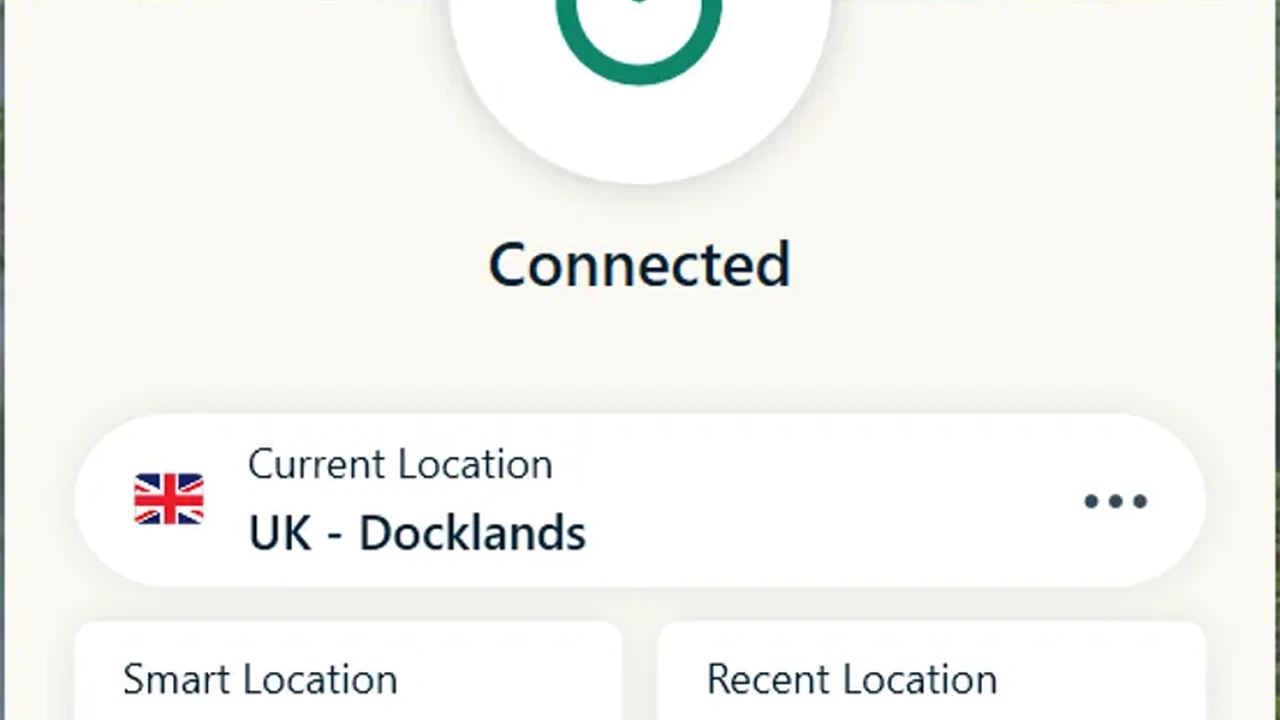
The 6 Best VPNs for Router Compatibility and Setup
Secure your entire network with these 6 VPNs offering excellent router compatibility and easy setup guides for network-wide protection.
Secure your entire network with these 6 VPNs offering excellent router compatibility and easy setup guides for network-wide protection. Setting up a VPN on your router is a game-changer for comprehensive home network security and privacy. Instead of installing a VPN on each individual device, a VPN-configured router protects every device connected to your Wi-Fi network, from your smart TV and gaming consoles to your laptops, smartphones, and IoT gadgets. This means consistent protection, no device limits, and the convenience of never forgetting to turn on your VPN.
But not all VPNs are created equal when it comes to router compatibility and ease of setup. Some VPNs offer dedicated router apps, while others provide detailed manual configuration guides for a wide range of router firmware. In this extensive guide, we'll dive deep into the world of VPN routers, exploring the benefits, what to look for, and recommending the top 6 VPNs that excel in this crucial area. We'll cover everything from installation processes to specific use cases, helping you choose the perfect VPN to secure your entire digital ecosystem.
Why Use a VPN on Your Router for Network-Wide Protection
Using a VPN directly on your router offers a multitude of benefits that individual device installations simply can't match. Let's explore the key advantages:
Comprehensive Device Coverage and Unlimited Connections
One of the most compelling reasons to install a VPN on your router is the ability to protect every single device connected to your home network. Think about it: smart TVs, gaming consoles (PlayStation, Xbox, Nintendo Switch), smart home devices (security cameras, smart speakers), streaming sticks (Roku, Apple TV, Chromecast), and even devices that don't natively support VPN apps can all benefit from VPN protection. Most VPN providers limit the number of simultaneous connections per subscription, typically ranging from 5 to 10. By installing the VPN on your router, you bypass this limitation entirely, as the router counts as just one connection, protecting an unlimited number of devices behind it. This is particularly useful for large households or those with a growing collection of smart devices.
Always-On VPN Protection for Consistent Security
Once configured, your router VPN provides always-on protection. This means you don't have to remember to activate the VPN on each device every time you go online. As long as your router is on and connected to the internet, all traffic flowing through it is encrypted and routed through the VPN server. This eliminates the risk of accidentally browsing unprotected, ensuring a consistent layer of security and privacy for your entire household. It's especially beneficial for devices that might not have a user interface to easily toggle a VPN, like smart appliances.
Bypassing Geo-Restrictions on All Devices for Global Content Access
Router VPNs are fantastic for accessing geo-restricted content on devices that typically don't support VPN apps. Want to watch US Netflix on your smart TV in Southeast Asia? Or access region-locked games on your PlayStation? A router VPN makes this possible. By connecting to a VPN server in the desired country, all devices on your network will appear to be browsing from that location, unlocking a world of global content on any device, seamlessly.
Enhanced Privacy and Security for Your Entire Home Network
Beyond geo-unblocking, a router VPN significantly enhances the overall privacy and security of your home network. It encrypts all incoming and outgoing traffic, protecting your data from your ISP, potential hackers, and other third parties. This is crucial for safeguarding sensitive information, preventing online tracking, and maintaining anonymity across all your connected devices. It also adds a layer of protection against malware and phishing attempts if your chosen VPN includes such features.
Simplified Management and Centralized Control
Managing a VPN on a router simplifies the process considerably. Instead of managing multiple VPN apps on different devices, you have a single point of control. You can change server locations, adjust settings, and monitor your VPN connection directly from your router's interface or a dedicated VPN app if available. This centralized management saves time and reduces the complexity of maintaining your online privacy and security.
What to Look for in a VPN for Router Compatibility and Easy Setup
Choosing the right VPN for router installation requires careful consideration of several factors. Here's what you should prioritize:
Extensive Router Compatibility and Firmware Support
Not all routers are VPN-compatible out of the box. Look for VPNs that support a wide range of router brands and firmware, such as DD-WRT, OpenWRT, Tomato, AsusWRT, and stock firmware from popular brands like Netgear, Linksys, and TP-Link. The more options, the better. Some VPNs even sell pre-configured routers, which can be a great option for those who prefer a plug-and-play solution.
Clear and Detailed Setup Guides for Various Router Models
Even with compatible firmware, setting up a VPN on a router can be complex. The best VPNs provide comprehensive, step-by-step setup guides with screenshots and clear instructions for various router models and firmware types. Video tutorials are a huge bonus. Easy-to-follow documentation can make the difference between a smooth installation and a frustrating experience.
Dedicated Router Apps or Custom Firmware for Simplified Management
Some top-tier VPNs go a step further by offering dedicated router apps or custom firmware that simplifies the installation and management process. These solutions often provide a user-friendly interface directly on your router, allowing you to switch servers, enable features, and monitor your connection without needing to delve into complex router settings. This is the holy grail for ease of use.
Strong Encryption and Robust Security Protocols for Router VPNs
Just because it's on a router doesn't mean you should compromise on security. Ensure the VPN offers strong encryption (AES-256 is standard) and supports secure protocols like OpenVPN and WireGuard. These protocols are crucial for maintaining the integrity and privacy of your network traffic.
Fast Speeds and a Large Server Network for Optimal Performance
Routing all your network traffic through a VPN can sometimes impact speed. Choose a VPN known for its fast speeds and a large, globally distributed server network. This allows you to connect to nearby servers for optimal performance and provides plenty of options for bypassing geo-restrictions. Look for VPNs that specifically mention optimized servers for router use.
Reliable Customer Support for Router Configuration Assistance
Even with the best guides, you might encounter issues during router setup. Reliable 24/7 customer support, preferably via live chat, is invaluable. Knowledgeable support staff who can guide you through the router configuration process can save you a lot of headaches.
The 6 Best VPNs for Router Compatibility and Setup
Based on extensive testing and evaluation of the criteria above, here are our top 6 recommendations for VPNs that excel in router compatibility and ease of setup:
1. ExpressVPN The Gold Standard for Router VPNs
ExpressVPN consistently ranks as one of the best VPNs overall, and its router support is a major reason why. It's arguably the easiest VPN to set up on a router, thanks to its custom firmware for popular router models. This proprietary firmware transforms your compatible router into a powerful VPN hub, offering a user-friendly interface to switch servers, manage devices, and access features directly from your browser.
* **Router Compatibility:** Excellent. Custom firmware for Asus, Linksys, Netgear. Supports manual configuration for DD-WRT, Tomato, OpenWRT, and many more. They also sell pre-flashed routers.
* **Setup Ease:** Very easy with custom firmware (download, install, connect). Manual setup is well-documented.
* **Key Features:** Custom router firmware, MediaStreamer (Smart DNS) for devices that don't support VPNs, strong AES-256 encryption, Lightway protocol for speed, vast server network in 105 countries.
* **Use Cases:** Ideal for users who want a plug-and-play router VPN solution, comprehensive protection for all smart home devices, and seamless geo-unblocking on streaming devices.
* **Pricing:** Starts around $6.67/month for a 12-month plan. Offers a 30-day money-back guarantee.
2. NordVPN Robust Router Support and Advanced Features
NordVPN is another top contender, known for its strong security features and extensive server network. While it doesn't offer custom firmware like ExpressVPN, it provides detailed manual setup guides for a wide array of routers running DD-WRT, Tomato, OpenWRT, and even some stock firmware. Their support for OpenVPN configuration is particularly strong.
* **Router Compatibility:** Very good. Extensive manual setup guides for DD-WRT, Tomato, OpenWRT, AsusWRT, and more. No custom firmware, but comprehensive instructions.
* **Setup Ease:** Moderate (manual configuration). Requires some technical comfort, but guides are thorough.
* **Key Features:** Double VPN, Onion over VPN, Threat Protection (ad/malware blocker), NordLynx protocol (based on WireGuard) for speed, AES-256 encryption, large server network in 60 countries.
* **Use Cases:** Great for users who prioritize advanced security features on their entire network, those comfortable with manual configuration, and users in regions with strict censorship.
* **Pricing:** Starts around $3.79/month for a 2-year plan. Also offers a 30-day money-back guarantee.
3. Surfshark Unlimited Devices and User-Friendly Router Guides
Surfshark stands out for its unlimited simultaneous connections, making it a fantastic value proposition for router VPNs. While it relies on manual configuration, Surfshark provides some of the most user-friendly and well-illustrated setup guides for various router firmware, including DD-WRT, Tomato, and AsusWRT. Their customer support is also highly responsive in assisting with router setups.
* **Router Compatibility:** Good. Detailed manual setup guides for DD-WRT, Tomato, AsusWRT, and OpenWRT. No custom firmware.
* **Setup Ease:** Moderate (manual configuration). Guides are very clear and easy to follow.
* **Key Features:** Unlimited simultaneous connections, CleanWeb (ad/malware blocker), Bypasser (split tunneling), Camouflage Mode (obfuscation), WireGuard protocol, AES-256 encryption, servers in 100 countries.
* **Use Cases:** Excellent for large families or households with many devices, budget-conscious users who still want strong security, and those who appreciate clear setup instructions.
* **Pricing:** Starts around $2.29/month for a 2-year plan. Includes a 30-day money-back guarantee.
4. Proton VPN Strong Security and Open-Source Router Options
Proton VPN is renowned for its strong privacy focus, open-source apps, and robust security features. While its router support is primarily through manual configuration for OpenVPN and WireGuard, it's an excellent choice for users who prioritize transparency and advanced security. They offer detailed guides for various open-source router firmware.
* **Router Compatibility:** Good. Manual setup guides for DD-WRT, OpenWRT, AsusWRT, and others. Focus on OpenVPN and WireGuard configurations.
* **Setup Ease:** Moderate to Advanced (manual configuration). Requires a good understanding of router settings.
* **Key Features:** Secure Core servers, NetShield (ad/malware blocker), Stealth protocol (obfuscation), strong no-logs policy, open-source apps, AES-256 encryption, servers in 91 countries.
* **Use Cases:** Best for privacy-conscious users, those who value open-source solutions, and users comfortable with more technical router configurations.
* **Pricing:** Starts around $4.99/month for a 2-year plan. Offers a 30-day money-back guarantee and a limited free plan (not recommended for router use).
5. Private Internet Access (PIA) Extensive Router Support and Customization
Private Internet Access (PIA) is a veteran in the VPN space, known for its vast server network, strong security, and highly customizable settings. PIA offers extensive support for router configurations, providing detailed guides for DD-WRT, Tomato, OpenWRT, and even some stock router firmware. Their flexibility in configuration options makes them a favorite among power users.
* **Router Compatibility:** Excellent. Comprehensive manual setup guides for DD-WRT, Tomato, OpenWRT, AsusWRT, and more. Supports a wide range of OpenVPN and WireGuard configurations.
* **Setup Ease:** Moderate to Advanced (manual configuration). Offers many customization options, which can be complex for beginners.
* **Key Features:** MACE (ad/malware blocker), SOCKS5 proxy, port forwarding, split tunneling, WireGuard and OpenVPN protocols, AES-256 encryption, servers in 91 countries.
* **Use Cases:** Ideal for tech-savvy users who want granular control over their router VPN settings, those needing port forwarding for specific applications, and users who appreciate a large server network.
* **Pricing:** Starts around $2.03/month for a 3-year plan. Includes a 30-day money-back guarantee.
6. VyprVPN Proprietary Chameleon Protocol for Router Obfuscation
VyprVPN is a strong choice for router VPNs, particularly for users in regions with strict internet censorship. Their proprietary Chameleon protocol is designed to scramble OpenVPN metadata, making it harder for ISPs and governments to detect and block VPN usage. They offer clear manual setup guides for DD-WRT, Tomato, and OpenWRT routers.
* **Router Compatibility:** Good. Manual setup guides for DD-WRT, Tomato, OpenWRT, and some AsusWRT models. No custom firmware.
* **Setup Ease:** Moderate (manual configuration). Guides are clear, but the process is manual.
* **Key Features:** Chameleon protocol (obfuscation), VyprDNS (zero-knowledge DNS), audited no-logs policy, AES-256 encryption, servers in 70+ countries.
* **Use Cases:** Excellent for users in countries with heavy internet censorship, those who prioritize obfuscation, and users who want a VPN with a strong commitment to privacy.
* **Pricing:** Starts around $5.00/month for a 1-year plan. Offers a 30-day money-back guarantee.
Router VPN Setup Scenarios and Considerations
Setting up a VPN on your router isn't a one-size-fits-all process. Here are some common scenarios and considerations:
Pre-Flashed VPN Routers for Plug-and-Play Convenience
For those who want the easiest possible setup, purchasing a pre-flashed VPN router is the way to go. Companies like FlashRouters or even some VPN providers (like ExpressVPN) sell routers with VPN firmware already installed and configured. You simply plug it in, enter your VPN credentials, and you're good to go. This eliminates the need for manual flashing and configuration, making it ideal for beginners or those short on time. Prices for these can range from $150 to $500+, depending on the router model and VPN subscription included.
Flashing Your Own Router with Custom Firmware (DD-WRT, OpenWRT, Tomato)
If you're comfortable with a bit of technical work, flashing your existing compatible router with custom firmware like DD-WRT, OpenWRT, or Tomato can be a cost-effective solution. These open-source firmwares offer enhanced functionality and allow for VPN client installation. The process involves downloading the correct firmware for your specific router model and following detailed flashing instructions. It's crucial to follow guides carefully, as incorrect flashing can brick your router. The VPN providers listed above offer excellent guides for these firmwares.
Manual OpenVPN or WireGuard Configuration on Stock Firmware
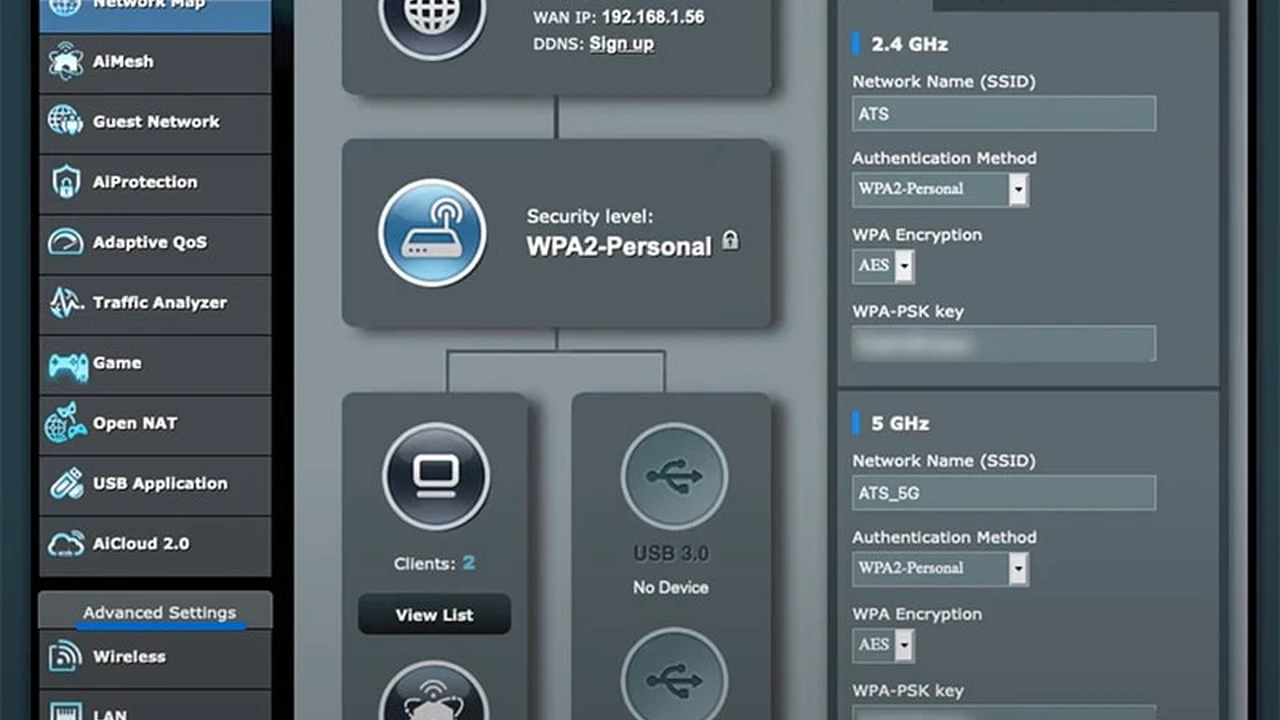
Some high-end routers, particularly from brands like Asus (with AsusWRT-Merlin firmware) or certain Netgear models, have built-in OpenVPN or WireGuard client capabilities. This means you can configure a VPN directly on the router's stock firmware without needing to flash custom firmware. This is often a simpler process than flashing, as it uses the router's native interface. You'll typically download configuration files (.ovpn for OpenVPN, .conf for WireGuard) from your VPN provider and upload them to your router.
Split Tunneling on Router VPNs for Selective Protection
Advanced router VPN setups can sometimes support split tunneling. This feature allows you to choose which devices or applications on your network use the VPN connection and which connect directly to the internet. For example, you might want your smart TV to use the VPN for geo-unblocking, but your gaming console to connect directly for lower latency. Not all router VPN setups support this, but it's a powerful feature to look for if you need selective routing.
Performance Considerations for Router VPNs
Running a VPN on your router can impact network performance. The router's processor needs to handle the encryption and decryption of all traffic, which can be resource-intensive. Older or less powerful routers might experience significant speed drops. For optimal performance, especially if you have a fast internet connection (100 Mbps or more), consider a newer, more powerful router with a fast processor and ample RAM. Routers with dual-core or quad-core processors are generally recommended for VPN use.
Troubleshooting Common Router VPN Issues
Even with the best guides, you might encounter some hiccups during or after setting up your router VPN. Here's how to troubleshoot common problems:
Slow Speeds After Router VPN Setup
* **Check Router Hardware:** As mentioned, an underpowered router can cause speed drops. Consider upgrading if your router is old or low-spec.
* **Try Different Servers:** Connect to a VPN server closer to your physical location. Also, try different servers within the same country, as some might be less congested.
* **Change VPN Protocol:** Experiment with different VPN protocols. WireGuard is generally faster than OpenVPN. If using OpenVPN, try UDP instead of TCP.
* **Disable Extra Features:** Temporarily disable features like ad blockers or malware protection within the VPN settings to see if they are impacting speed.
VPN Not Connecting on Router
* **Verify Credentials:** Double-check your VPN username and password. Even a small typo can prevent connection.
* **Check Configuration Files:** Ensure you've uploaded the correct OpenVPN or WireGuard configuration files for your chosen server and protocol.
* **Firmware Issues:** If you flashed custom firmware, ensure it's the correct version for your specific router model. Incorrect firmware can cause instability.
* **Firewall Settings:** Temporarily disable your router's firewall (if possible and safe to do so) to see if it's blocking the VPN connection. If it works, you'll need to configure firewall rules to allow VPN traffic.
* **Contact Support:** If all else fails, reach out to your VPN provider's customer support. They often have specific troubleshooting steps for router setups.
Devices Not Getting VPN Protection
* **Verify Router VPN Status:** Check your router's interface to confirm the VPN client is connected and active.
* **Clear DNS Cache:** On your devices, clear the DNS cache. On Windows, open Command Prompt as administrator and type `ipconfig /flushdns`. On macOS, use `sudo dscacheutil -flushcache; sudo killall -HUP mDNSResponder` in Terminal.
* **Check IP Address:** Use an online tool (like whatismyipaddress.com) on a device connected to your router's Wi-Fi to see if it shows the VPN server's IP address or your real IP. If it shows your real IP, the VPN isn't working.
* **Router DNS Settings:** Ensure your router is configured to use the VPN's DNS servers or a privacy-focused DNS like Cloudflare or Google DNS, rather than your ISP's DNS.
Final Thoughts on Router VPNs for Comprehensive Security
Setting up a VPN on your router is an investment in your entire home network's privacy and security. It provides an unparalleled level of protection and convenience, ensuring every device connected to your Wi-Fi benefits from encryption and geo-unblocking capabilities. While the initial setup might seem daunting for some, the long-term benefits far outweigh the effort.
By choosing one of the recommended VPNs with excellent router compatibility and clear setup guides, you can transform your home network into a fortress of privacy. Whether you opt for a pre-flashed router for simplicity or dive into manual configuration for greater control, a router VPN is a powerful tool for anyone serious about their digital security in today's interconnected world. Take the leap, secure your router, and enjoy a truly protected and unrestricted online experience across all your devices.
:max_bytes(150000):strip_icc()/277019-baked-pork-chops-with-cream-of-mushroom-soup-DDMFS-beauty-4x3-BG-7505-5762b731cf30447d9cbbbbbf387beafa.jpg)