Comparing VPNs for Privacy on Public Wi-Fi Networks
Stay safe on public Wi-Fi with these recommended VPNs. Learn how a VPN encrypts your data and protects you from cyber threats.
Stay safe on public Wi-Fi with these recommended VPNs. Learn how a VPN encrypts your data and protects you from cyber threats.
Comparing VPNs for Privacy on Public Wi-Fi Networks
Picture this: you're at your favorite coffee shop, airport, or hotel, enjoying the convenience of free public Wi-Fi. It's great for catching up on emails, browsing social media, or even getting some work done. But here's the catch – public Wi-Fi networks are often unsecured, making them a playground for cybercriminals. Without proper protection, your personal data, from banking details to login credentials, can be easily intercepted. This is where a Virtual Private Network (VPN) becomes your best friend. A VPN encrypts your internet traffic, creating a secure tunnel between your device and the internet, effectively shielding your online activities from prying eyes. But with so many VPNs out there, how do you choose the best one for staying private on public Wi-Fi? Let's dive in and compare some top contenders, looking at their features, security, performance, and pricing.
Why Public Wi-Fi is a Privacy Minefield and How VPNs Help
Public Wi-Fi networks are inherently risky because they often lack strong encryption. This means that any data you send or receive over these networks can be easily intercepted by anyone else on the same network using simple tools. Think of it like shouting your private conversations in a crowded room – everyone can hear you. Common threats include:
- Man-in-the-Middle (MitM) Attacks: A hacker positions themselves between you and the connection point, intercepting your data.
- Packet Sniffing: Cybercriminals can 'sniff' data packets traveling over the network, capturing sensitive information.
- Malware Distribution: Unsecured networks can be used to spread malware to connected devices.
- Fake Wi-Fi Hotspots: Hackers set up fake Wi-Fi networks with legitimate-sounding names to trick users into connecting.
A VPN acts as your digital bodyguard. When you connect to a VPN, all your internet traffic is encrypted before it leaves your device. This encrypted data then travels through a secure tunnel to a VPN server. Even if a hacker intercepts your data on a public Wi-Fi network, all they'll see is scrambled, unreadable information. Furthermore, your IP address is masked by the VPN server's IP address, adding another layer of anonymity. This makes it incredibly difficult for anyone to track your online activities back to you.
Key Features to Look for in a Public Wi-Fi VPN for Enhanced Privacy
When choosing a VPN for public Wi-Fi, certain features are non-negotiable for optimal privacy and security:
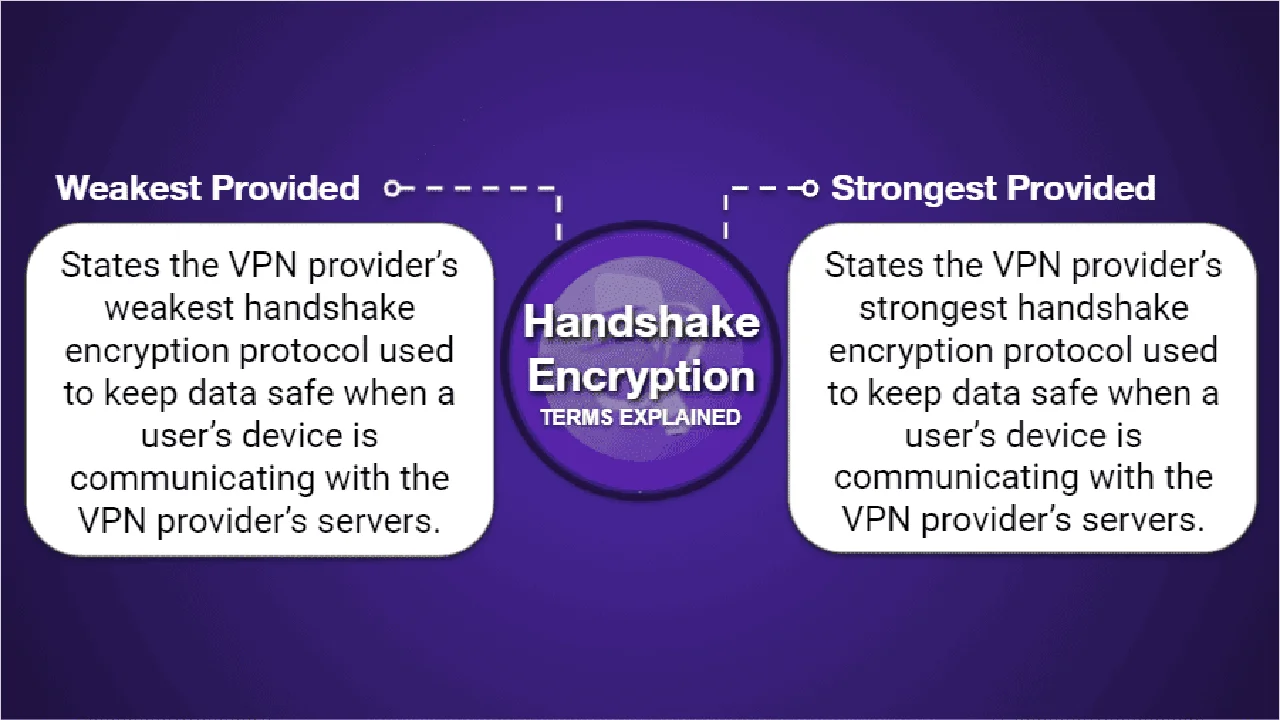
- Strong Encryption: Look for AES-256 encryption, which is the industry standard and virtually uncrackable.
- Robust Security Protocols: OpenVPN, WireGuard, and IKEv2 are generally considered the most secure and efficient protocols. Avoid PPTP.
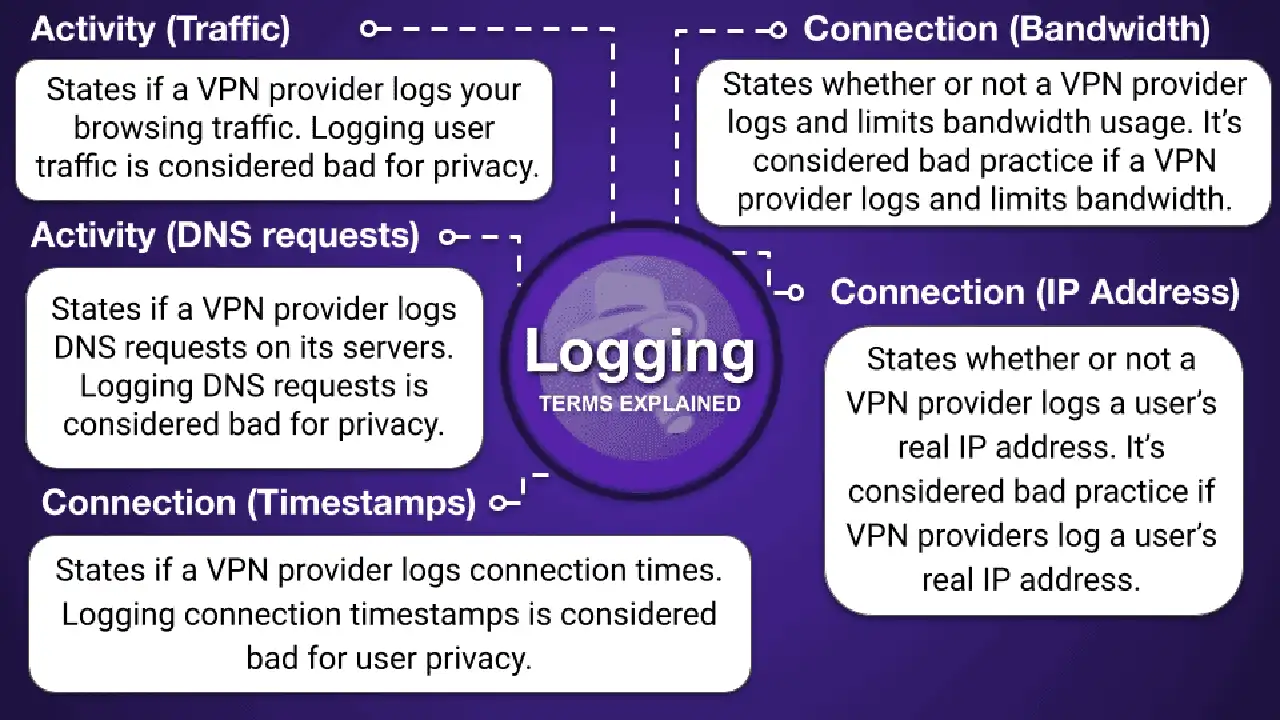
- No-Logs Policy: A strict no-logs policy means the VPN provider does not record your online activities. This is crucial for privacy. Ideally, this policy should be independently audited.
- Kill Switch: An essential feature that automatically disconnects your internet if the VPN connection drops, preventing your real IP address and data from being exposed.
- DNS Leak Protection: Ensures that your DNS requests are routed through the VPN tunnel, preventing your ISP from seeing your browsing activity.
- Wi-Fi Protection/Auto-Connect: Many VPNs offer a feature that automatically connects to the VPN when it detects an unsecured Wi-Fi network.
- Server Network and Speed: A wide network of servers ensures you can find a fast, uncrowded server close to your location, minimizing speed loss.
- Ease of Use: User-friendly apps across various devices are important, especially if you're frequently connecting on the go.
Top VPN Recommendations for Public Wi-Fi Privacy and Security
Let's explore some of the best VPNs that excel at protecting your privacy on public Wi-Fi, along with their specific strengths, use cases, and pricing.
ExpressVPN: The All-Rounder for Public Wi-Fi Security
ExpressVPN consistently ranks high for its robust security, excellent speeds, and user-friendly interface, making it an ideal choice for public Wi-Fi protection.
- Security Features: ExpressVPN uses AES-256 encryption, offers a choice of secure protocols including their proprietary Lightway protocol (which is fast and secure), a reliable kill switch, and DNS leak protection. They have a strict, independently audited no-logs policy.
- Public Wi-Fi Specifics: Their apps are designed to be intuitive, making it easy to connect quickly. The kill switch is always active by default on desktop apps, providing peace of mind.
- Performance: Known for its consistently fast speeds across its vast server network (3,000+ servers in 105 countries), ensuring smooth browsing and streaming even on public Wi-Fi.
- Use Cases: Perfect for travelers, remote workers, or anyone who frequently uses public Wi-Fi for sensitive tasks like online banking, checking emails, or accessing work resources.
- Pricing: ExpressVPN is on the pricier side, typically starting around $6.67/month for a 12-month plan (plus 3 extra months free). They offer a 30-day money-back guarantee.
- Why it's great for public Wi-Fi: Its combination of top-tier security, speed, and ease of use means you can connect to any public Wi-Fi with confidence, knowing your data is well-protected.
NordVPN: Feature-Rich Protection for Public Wi-Fi Users
NordVPN is another powerhouse, offering a comprehensive suite of security features that are particularly beneficial when using public Wi-Fi.
- Security Features: NordVPN boasts AES-256 encryption, a variety of protocols including NordLynx (based on WireGuard), a customizable kill switch, and DNS leak protection. They also have a strict, audited no-logs policy. Beyond the basics, NordVPN offers Threat Protection (blocks ads, trackers, and malware), Double VPN (routes traffic through two VPN servers for extra encryption), and Onion Over VPN (combines VPN with Tor for maximum anonymity).
- Public Wi-Fi Specifics: The Threat Protection feature is a huge plus on public Wi-Fi, as it actively blocks malicious websites and ads that might try to exploit vulnerabilities. The auto-connect feature can be configured to activate when connecting to unknown Wi-Fi networks.
- Performance: With over 6,000 servers in 61 countries, NordVPN offers excellent speeds, especially with its NordLynx protocol.
- Use Cases: Ideal for users who want advanced security features beyond basic encryption, such as journalists, activists, or anyone handling highly sensitive information on public networks. Also great for general browsing and streaming.
- Pricing: NordVPN offers competitive pricing, often around $3.99/month for a 2-year plan. They also provide a 30-day money-back guarantee.
- Why it's great for public Wi-Fi: Its advanced features like Threat Protection and Double VPN provide extra layers of defense against the unique threats posed by public Wi-Fi.
Surfshark: Budget-Friendly Security for Multiple Devices on Public Wi-Fi
Surfshark stands out for its unlimited simultaneous connections and strong security features, making it an excellent value proposition for families or individuals with many devices.
- Security Features: Surfshark uses AES-256 encryption, supports WireGuard, OpenVPN, and IKEv2 protocols, includes a kill switch, and offers DNS leak protection. Their no-logs policy has also been independently audited. Unique features include CleanWeb (ad, tracker, and malware blocker) and Camouflage Mode (obfuscation to hide VPN use).
- Public Wi-Fi Specifics: CleanWeb is highly effective on public Wi-Fi, preventing malicious ads and pop-ups. The auto-connect feature ensures you're always protected. The unlimited connections mean you can secure your laptop, phone, tablet, and even a friend's device without extra cost.
- Performance: While not always as fast as ExpressVPN or NordVPN, Surfshark offers good speeds across its 3,200+ servers in 100 countries, sufficient for most public Wi-Fi activities.
- Use Cases: Perfect for individuals or families who need to secure multiple devices on public Wi-Fi without breaking the bank. Great for students, frequent travelers, and digital nomads.
- Pricing: Surfshark is one of the most affordable premium VPNs, often available for as low as $2.49/month for a 2-year plan. It also comes with a 30-day money-back guarantee.
- Why it's great for public Wi-Fi: Unlimited connections and robust security at an affordable price make it a fantastic choice for securing all your devices when out and about.
Proton VPN: Privacy-Focused for Sensitive Public Wi-Fi Use
Proton VPN, developed by the creators of ProtonMail, is renowned for its strong focus on privacy and security, making it a solid choice for public Wi-Fi, especially for those handling highly sensitive information.
- Security Features: Proton VPN uses AES-256 encryption, supports OpenVPN, WireGuard, and IKEv2, and includes a kill switch and DNS leak protection. They have a strict no-logs policy, based in privacy-friendly Switzerland. Their Secure Core feature routes traffic through multiple servers in privacy-friendly countries before reaching its destination, offering an extra layer of defense against network attacks.
- Public Wi-Fi Specifics: The Secure Core servers are particularly valuable on public Wi-Fi, as they make it even harder for anyone to trace your connection. Their always-on VPN feature attempts to re-establish a connection if it drops, working in conjunction with the kill switch.
- Performance: While not the absolute fastest, Proton VPN offers good speeds, especially on its paid plans, with over 3,000 servers in 70+ countries. They also offer a decent free plan, though it has speed and server limitations.
- Use Cases: Ideal for journalists, activists, or anyone who prioritizes maximum privacy and security above all else, especially when connecting from potentially compromised public networks.
- Pricing: Proton VPN offers a free plan with limited features. Paid plans start around $4.99/month for a 2-year plan. They also have a 30-day money-back guarantee.
- Why it's great for public Wi-Fi: Its Secure Core and strong privacy stance make it an excellent choice for users who need the highest level of protection on public networks.
CyberGhost: User-Friendly and Reliable for Public Wi-Fi
CyberGhost is known for its user-friendly interface and specialized servers, making it a reliable and easy-to-use option for securing your connection on public Wi-Fi.
- Security Features: CyberGhost employs AES-256 encryption, supports OpenVPN, WireGuard, and IKEv2 protocols, features a kill switch, and provides DNS leak protection. They have a transparent no-logs policy, backed by quarterly transparency reports.
- Public Wi-Fi Specifics: CyberGhost has a 'Smart Rules' feature that allows you to configure the VPN to automatically connect when it detects an unsecured Wi-Fi network. This means you don't have to remember to turn it on every time.
- Performance: With one of the largest server networks (over 11,000 servers in 100 countries), CyberGhost offers good speeds and plenty of options to find an uncrowded server.
- Use Cases: Great for beginners and those who want a set-it-and-forget-it solution for public Wi-Fi. Also good for streaming and general browsing.
- Pricing: CyberGhost is very affordable, often available for around $2.19/month for a 2-year plan (plus 4 extra months free). They offer a generous 45-day money-back guarantee.
- Why it's great for public Wi-Fi: Its Smart Rules and large server network make it incredibly convenient and reliable for automatic protection on public networks.
Comparing VPNs for Public Wi-Fi: A Quick Overview
Let's put these VPNs side-by-side for a quick comparison on key aspects relevant to public Wi-Fi use:
| VPN Provider | Key Security Features for Public Wi-Fi | Speed & Server Network | Ease of Use | Approx. Pricing (Long-term plan) | Best For |
|---|---|---|---|---|---|
| ExpressVPN | AES-256, Lightway, Kill Switch, Audited No-Logs | Excellent, 3000+ servers in 105 countries | Very User-Friendly | $6.67/month | All-round robust protection, travelers |
| NordVPN | AES-256, NordLynx, Threat Protection, Double VPN, Audited No-Logs | Excellent, 6000+ servers in 61 countries | User-Friendly, Feature-Rich | $3.99/month | Advanced security, sensitive data handling |
| Surfshark | AES-256, WireGuard, CleanWeb, Unlimited Devices, Audited No-Logs | Good, 3200+ servers in 100 countries | User-Friendly | $2.49/month | Budget-conscious, multiple devices/family |
| Proton VPN | AES-256, Secure Core, Kill Switch, Audited No-Logs (Switzerland) | Good, 3000+ servers in 70+ countries | Moderately User-Friendly | $4.99/month | Maximum privacy, highly sensitive use |
| CyberGhost | AES-256, Smart Rules (Auto-Connect), Kill Switch, No-Logs | Good, 11000+ servers in 100 countries | Very User-Friendly | $2.19/month | Beginners, automatic protection, large server network |
Practical Scenarios: Choosing the Right VPN for Your Public Wi-Fi Needs
Let's consider a few common scenarios to help you decide which VPN might be the best fit for your public Wi-Fi habits.
Scenario 1: The Frequent Traveler or Digital Nomad
If you're constantly on the move, hopping from airport Wi-Fi to hotel networks, you need a VPN that's reliable, fast, and easy to use across all your devices. ExpressVPN is a fantastic choice here. Its Lightway protocol ensures fast and stable connections even on less-than-perfect public Wi-Fi. The intuitive apps mean you can quickly connect and secure your device without fuss, whether you're on a laptop, smartphone, or tablet. Its vast server network also means you'll almost always find a nearby server for optimal speed, no matter where you are in the world, including the USA and various Southeast Asian countries.
Scenario 2: The Security-Conscious Professional or Journalist
For those who handle sensitive information, conduct research, or simply demand the highest level of privacy on public networks, advanced security features are paramount. NordVPN with its Threat Protection and Double VPN, or Proton VPN with its Secure Core servers, would be excellent choices. NordVPN's Threat Protection actively blocks malicious content, which is a huge advantage on potentially compromised public networks. Proton VPN's Secure Core adds an extra layer of routing through hardened servers, making it incredibly difficult to trace your connection. Both offer robust encryption and strict no-logs policies, crucial for maintaining confidentiality.
Scenario 3: The Student or Family on a Budget with Multiple Devices
If you're a student trying to secure your laptop and phone on campus Wi-Fi, or a family wanting to protect multiple devices at a coffee shop, value and unlimited connections are key. Surfshark shines in this scenario. Its unlimited simultaneous connections mean you can secure every device you own (and even a few for friends or family) with a single subscription. Plus, its CleanWeb feature helps block ads and malware, which can be prevalent on public networks, all at a very affordable price point. CyberGhost is another strong contender here, offering great value and a user-friendly experience for multiple devices.
Scenario 4: The Casual Browser Who Wants Automatic Protection
For users who just want to browse securely on public Wi-Fi without having to constantly think about turning on their VPN, automation is a big plus. CyberGhost's 'Smart Rules' feature allows you to configure the VPN to automatically connect whenever you join an unsecured Wi-Fi network. This hands-off approach ensures you're always protected without needing to manually activate the VPN. It's simple, effective, and provides peace of mind for everyday public Wi-Fi use.
Beyond the VPN: Additional Tips for Public Wi-Fi Safety
While a VPN is your primary defense, combining it with other best practices can further enhance your security on public Wi-Fi:
- Keep Your Software Updated: Ensure your operating system, web browser, and all applications are up-to-date. Updates often include critical security patches.
- Use HTTPS Everywhere: Always look for 'https://' in the website address bar. This indicates an encrypted connection between your browser and the website. Many browsers have extensions that force HTTPS connections where available.
- Disable File Sharing: Turn off file sharing options on your device when connected to public Wi-Fi to prevent unauthorized access to your files.
- Avoid Sensitive Transactions: If possible, refrain from conducting highly sensitive activities like online banking or shopping with credit card details on public Wi-Fi, even with a VPN. If you must, ensure your VPN is active and the website uses HTTPS.
- Use Strong, Unique Passwords: This is a general security rule, but especially important when using public networks.
- Consider a Firewall: Ensure your device's firewall is enabled to block unwanted incoming connections.
- Be Wary of Unknown Networks: Double-check the name of the Wi-Fi network to ensure it's legitimate. Hackers often set up fake networks with similar names to popular venues.
The Future of Public Wi-Fi Security and VPNs
As public Wi-Fi becomes even more ubiquitous, the need for robust security solutions will only grow. VPN technology continues to evolve, with new protocols like WireGuard offering faster and more efficient encryption. We can expect VPNs to integrate even more seamlessly into our daily digital lives, with smarter auto-connect features, enhanced threat detection, and even more user-friendly interfaces. The focus will remain on providing strong, uncompromised privacy and security without sacrificing speed or convenience. For anyone who values their digital privacy, especially when venturing onto public networks, a reliable VPN is no longer a luxury but a fundamental necessity.
So, the next time you're about to connect to that free Wi-Fi at the cafe, remember to fire up your VPN. It's a small step that makes a huge difference in protecting your personal information from the lurking dangers of unsecured networks. Stay safe, stay private!
:max_bytes(150000):strip_icc()/277019-baked-pork-chops-with-cream-of-mushroom-soup-DDMFS-beauty-4x3-BG-7505-5762b731cf30447d9cbbbbbf387beafa.jpg)